
How to Build a Newsletter Workflow That Gets It Done in Under 2 Hours
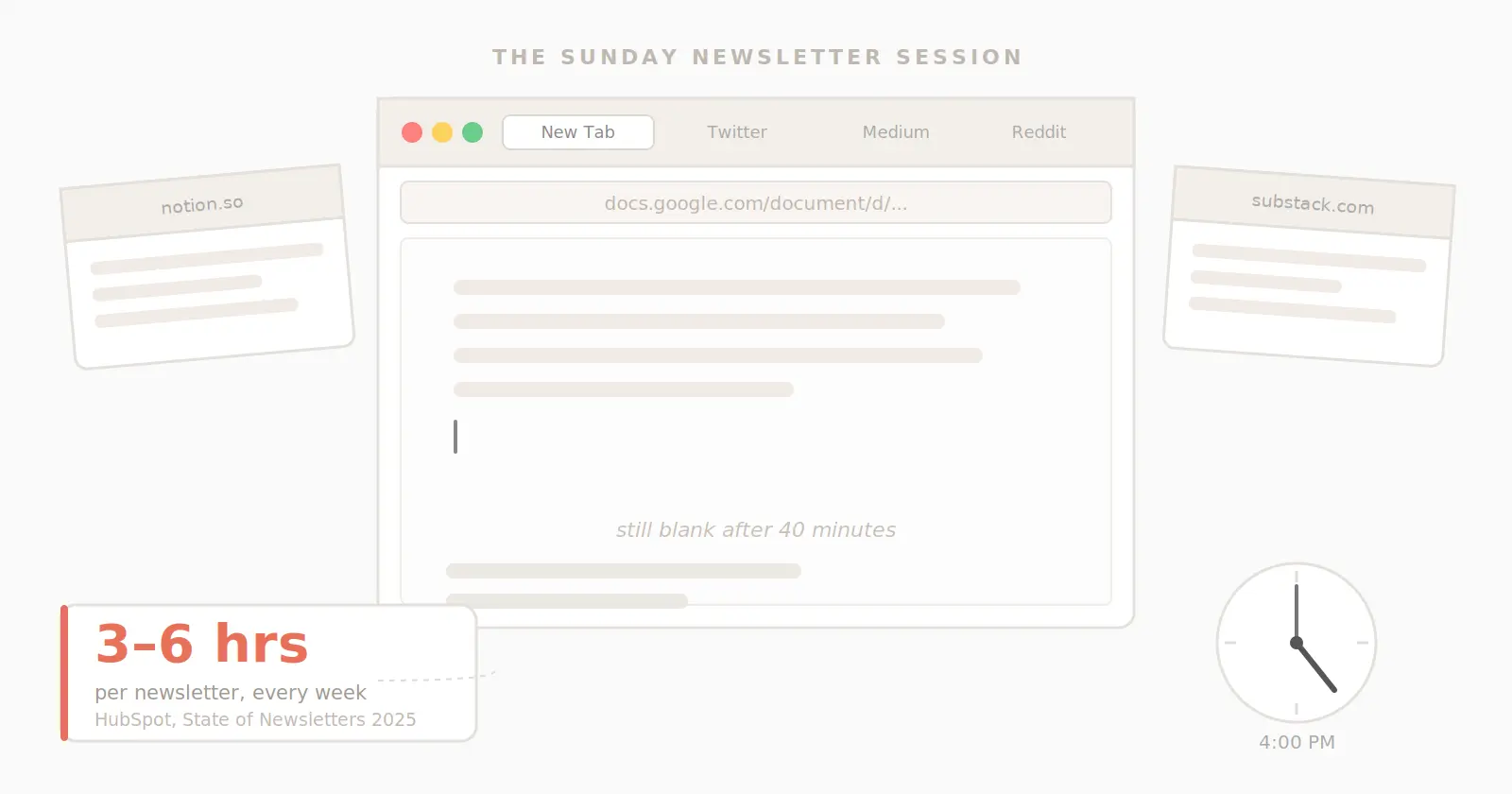
It's Sunday afternoon. You told yourself you'd have the newsletter done by noon. Three browser tabs are open, none of them useful, and the blank page has been blank for forty minutes. You know what you want to write about. Sort of. You just can't quite pin it down. So you open another tab.
This happens to almost every newsletter creator, every single week. According to HubSpot's 2025 State of Newsletters report, surveying more than 400 newsletter professionals, creators who use AI for content tasks save one to three hours per week. Which raises the obvious question: how much time were they spending before? Talk to newsletter creators in any community, and the range that comes up is 3 to 6 hours per issue. Most of that time isn't writing. It's everything that happens before the writing starts: the tab-hopping, the half-baked research sessions, the three restarts before a word lands on the page.
This guide is a fix for that. By the end, you'll have a repeatable newsletter workflow that takes under 2 hours from start to send. Not a tool recommendation, not a mindset shift. A system you can run this week.
It's written for coaches, consultants, and newsletter creators who publish regularly and want to stop losing their Sunday afternoons to a process that shouldn't be this hard.
What you'll get from this guide
A repeatable newsletter workflow from blank page to send button
The exact sequence most creators skip that costs them 2+ hours every issue
A simple framework for separating research, writing, and editing so each takes less time
A time budget that works whether you publish weekly or biweekly
What is a newsletter workflow? (And why most creators don't have one)
A newsletter workflow is a fixed sequence of steps a creator follows every time they publish, covering everything from finding a topic to hitting send.
That definition sounds obvious. The problem is that most creators don't actually have one. They improvise each issue: scroll some feeds, find something interesting, open a Google Doc, start writing, realize they didn't research enough, open more tabs, restart the draft, copy everything into Mailchimp, watch the formatting break, fix it, and send two hours later than planned.
Improvising feels natural. It also feels faster, because there's no setup, no structure to remember, just sitting down and starting. What it actually produces is a 5-hour process that could be 90 minutes. Because when you improvise, you're not just writing, you're also researching, outlining, writing, editing, and troubleshooting at the same time. The brain can't do all of those well at once, and switching between them constantly is what burns the time.
A workflow isn't a rigid template. It's a decision about what order to do things in, made once, so you're never starting from scratch again.
What does a newsletter workflow actually include?
A complete newsletter workflow has five phases: topic selection, research, outlining, writing, and editing. Most creators skip the first two and pay for it heavily in the writing phase.
Each phase has a specific job. When one phase gets skipped, or when two phases get merged into one chaotic session, the whole thing takes longer, and the output is worse.
Topic selection
This is the decision you make before you research anything. It sounds simple, yet it's the most commonly skipped step in every creator's process.
Most creators either have a topic calendar they mostly ignore or they decide what to write about the day they sit down to write. The second approach costs between one and two hours every issue, because deciding what to write and actually writing are two very different cognitive tasks. Combining them means you're doing neither one well.
The fix is a simple rule: decide your topic at least two days before you write. Not the full angle, not the structure, just the subject. If you publish on Friday, decide the topic on Tuesday. That two-day gap lets your brain work on it passively. By the time you sit down to research, you already have direction.
Research
This is where most newsletter time disappears. Research shouldn’t be hard, but without a defined process, it risks becoming infinite. You open one link, which leads to three more, which leads to a Reddit thread, which leads to an interesting article you save for later, but never come back to.
The fix isn't doing more research; rather, it's having a defined place to collect and a defined time limit. Research is a 15 to 20-minute activity when you have a curated feed. It becomes a 90-minute rabbit hole when you don't.
Outlining
Most creators skip this step and write directly from a blank page. That choice is the single most expensive decision in the whole workflow.
A 10-minute outline saves 45 minutes of rewriting. The structure doesn't need to be elaborate: a hook concept, the main point you're making, one supporting story or piece of evidence, the call to action direction, and a sign-off note. Five lines, written before you open a writing document. That's enough to make the writing phase a straight line instead of a loop.
Writing
This is the only phase most creators think about. If research and outlining are done, the writing phase takes 30 to 45 minutes. If they're not done, writing takes 2 to 3 hours, because you're researching, outlining, and writing all at the same time, which means you're doing none of them properly.
Write one draft, then stop. Don’t re-read and restart in the same session. The re-read loop is where newsletters go to take an extra two hours.
Editing
One pass. Read it aloud; you'll catch what silent reading misses. Cut the last paragraph of every draft. Test it: your newsletter is almost always better without it. Then export and send.
The newsletter workflow most creators actually use (and why it's broken)
Most creator workflows look like this: open browser, search for inspiration, write while you research, copy and paste into the email platform, fight the formatting, send. It works. It costs 5 hours every week.
You know exactly what this looks like. You open Mailchimp or Beehiiv or Kit with the best of intentions. You decide you'll just get a feel for the topic first, which means opening six tabs. One of them has a useful statistic. You paste it into your draft. You start writing around it. Halfway through a paragraph, you realize you need a better example, which means opening another tab. An hour later, you have four paragraphs that don't quite connect and a growing sense that this isn't going the way you planned.
You copy what you have into your email platform. The formatting breaks. You spend 20 minutes fixing it. You re-read everything, decide the second paragraph is weak, rewrite it, re-read again, rewrite the intro. You send at 9 pm. The newsletter is fine, but you’re exhausted. You'll start earlier next week.
You don't start earlier next week.
The problem is structural, not a lack of discipline. When there's no defined sequence, no moment where research ends and writing begins, no commitment to an outline before the draft, the process expands to fill whatever time is available. That's not a character flaw, but it’s what unstructured processes do.
The 4-Phase Newsletter System is the antidote. It separates the four things your brain needs to do and puts them in the right order.
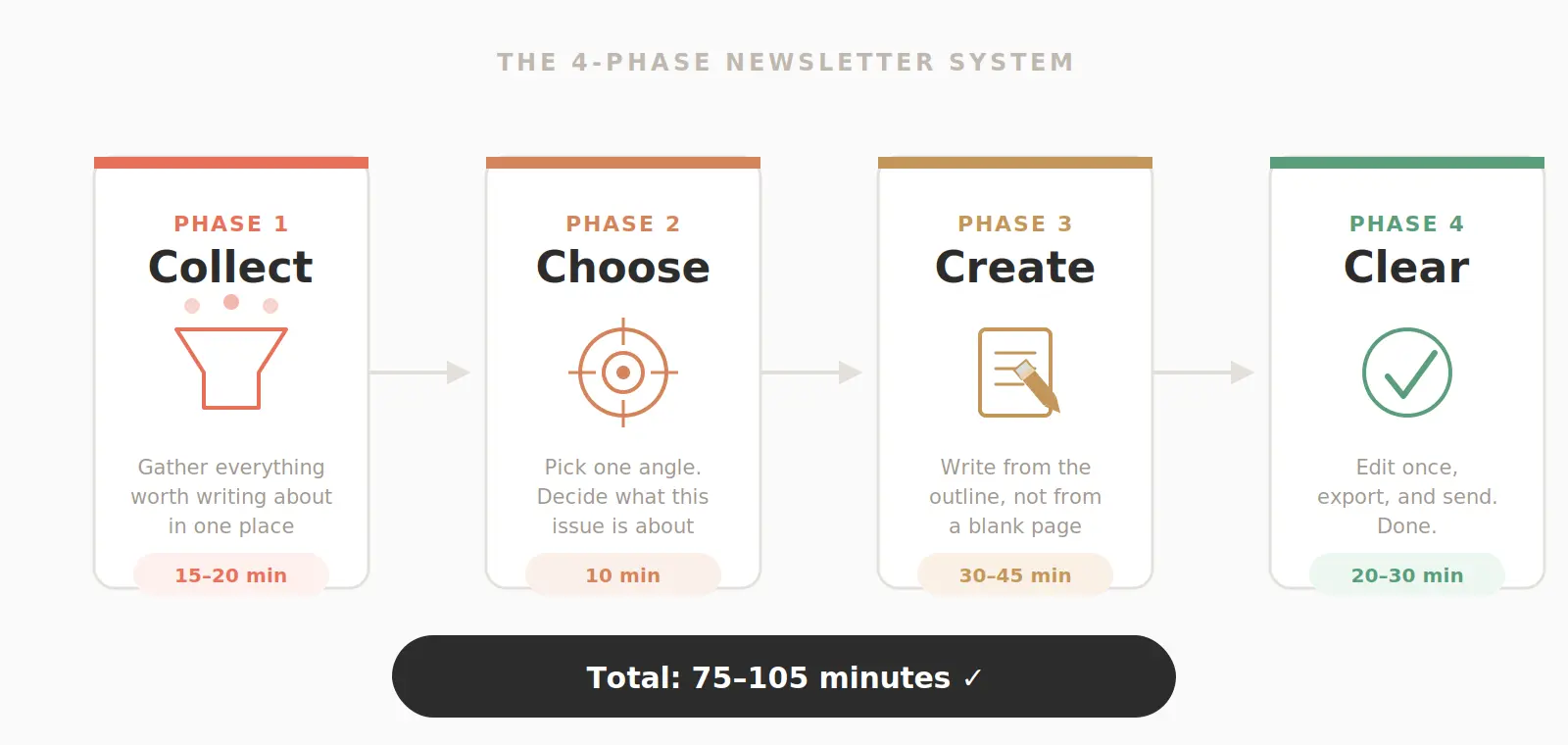
Collect: Gather everything worth writing about in one place, not twelve tabs
Choose: Pick one angle; decide what this issue is actually about
Create: Write from the outline, not from a blank page
Clear: Edit once, export, send
Four phases. Each one has a defined job and a time limit. When you work through them in sequence, you're never doing two things at once, never stuck in a loop, never restarting a draft that should have been done an hour ago.
How to build your newsletter workflow from scratch
Building a newsletter workflow takes one session. Set up the four phases, assign a time budget to each, and run it once. After the first issue, adjust what didn't work.
Here's the full build, step by step.
Step 1: Set your topic cadence
Decide now when you'll choose each issue's topic, and make that decision a separate event from when you sit down to write.
For a Friday send: choose the topic on Tuesday. For a Monday send: choose the topic on Thursday. The specific days matter less than the gap between deciding and writing. Two days are enough for the idea to settle and for you to collect material with direction rather than hunting for it blindly.
Where to log topics: a simple Notion table, a Google Sheet, a notes app, anything that’s permanent. One column for the topic, one for the angle, one for any links you want to use. You don’t need anything more complex than that, because the goal is a single place to look before every research session. It’s not supposed to be a productivity system you have to maintain.
One more thing: start a running topic bank today. Every time an interesting idea crosses your path, a conversation with a client, a question from a reader, or something that frustrated you, log it. When topic-decision day comes, you're choosing from a list instead of generating from scratch.
Step 2: Build your research stack
Define three to five sources you'll check every time you research. Not "the internet," but specific sources.
A useful research stack for most newsletter creators includes an RSS reader with feeds from two or three publications in your niche (Feedly and Inoreader both have free tiers that work well), one community where your audience actually talks, a subreddit, a Slack group, a Facebook group, and one newsletter from an adjacent topic area that consistently surfaces ideas you find useful.
The goal is a curated feed, not an open internet. When you sit down to research, you open your stack, spend 15 to 20 minutes scanning for anything relevant to this issue's topic, save what's worth using, and close the tabs. Done.
The most common mistake with research stacks is making them too broad. Five sources is a ceiling, not a floor. Two excellent sources beat six mediocre ones every time.
Step 3: Write the outline before you open a writing document
Five lines. That's the full outline.
The hook concept: what's the opening moment, observation, or question?
The main point: one sentence: what are you actually saying in this issue?
One supporting story, example, or piece of evidence
The call to action direction: what do you want the reader to do or think?
The sign-off note: how does this issue end?
Write this in your topic log or a notes app before you open a blank document. It takes 10 minutes. If you can't fill in all five lines in 10 minutes, the topic is still too vague. Spend five more minutes sharpening the angle, then write.
This step produces the biggest time savings of anything in the workflow. A clear outline makes the writing phase a straight line. Without it, writing is a search for an outline while simultaneously trying to produce copy, which is why drafts take three times as long as they should.
Step 4: Write from the outline, not from the blank page
Time budget: 30 to 45 minutes.
Open your writing tool of choice with the five-line outline visible. Write the newsletter from top to bottom. Do not re-read what you've written until the draft is complete.
That last instruction is harder than it sounds. The pull to go back, polish a paragraph, re-read, and adjust is strong. Resist it. Every time you go back to edit a paragraph while the rest of the draft isn't written yet, you're breaking the writing phase with an editing task. You use different mental gears, and the switching costs real time.
If you go over 45 minutes, the outline wasn't specific enough. Note what was vague and fix it for next time. One run of the system teaches you more about your own workflow than any amount of planning in advance.
Step 5: Edit once, then export
One read-aloud pass. Not a silent re-read; read it out loud.
Reading aloud catches what the eye skips: the sentence that runs too long, the paragraph that repeats a point you already made, the transition that doesn't quite land. It also tells you whether the newsletter sounds like you. If you stumble over a sentence while reading aloud, your reader will stumble on it silently. Rewrite it.
Then cut the last paragraph. Test this on your next three issues. The final paragraph of a newsletter draft is almost always an unnecessary wrap-up that the reader doesn't need. The newsletter usually ends better at the second-to-last paragraph.
Export directly to your email platform. If you're copy-pasting from a doc into your platform and fighting formatting every single time, that's a workflow problem worth solving before it costs you another 20 minutes per issue.
Step 6: Log what worked
Three minutes after every send.
Note the topic, the angle, and anything that felt significantly easier or harder than usual. Not a detailed retrospective, just a line in your topic log: "research was fast. Intro took too long, topic was too broad." Two months of those notes tells you exactly where your workflow breaks down and what to adjust. Most creators skip this step entirely, and that’s why they're still improvising two years in.
How long should your newsletter workflow take?
A well-built newsletter workflow takes 90 minutes to 2 hours per issue. Research: 15 to 20 minutes. Outline: 10 minutes. Writing: 30 to 45 minutes. Editing and export: 20 to 30 minutes.
That's a significant distance from the 3 to 6 hours that most creators currently spend. The gap isn't speed or writing talent, but structure. The time savings come almost entirely from separating the phases and putting a limit on each one.
Phase | Time Budget |
|---|---|
Topic decision (done earlier in the week) | 5 min |
Research | 15–20 min |
Outline | 10 min |
Writing | 30–45 min |
Editing and export | 20–30 min |
Total | 80–110 minutes |
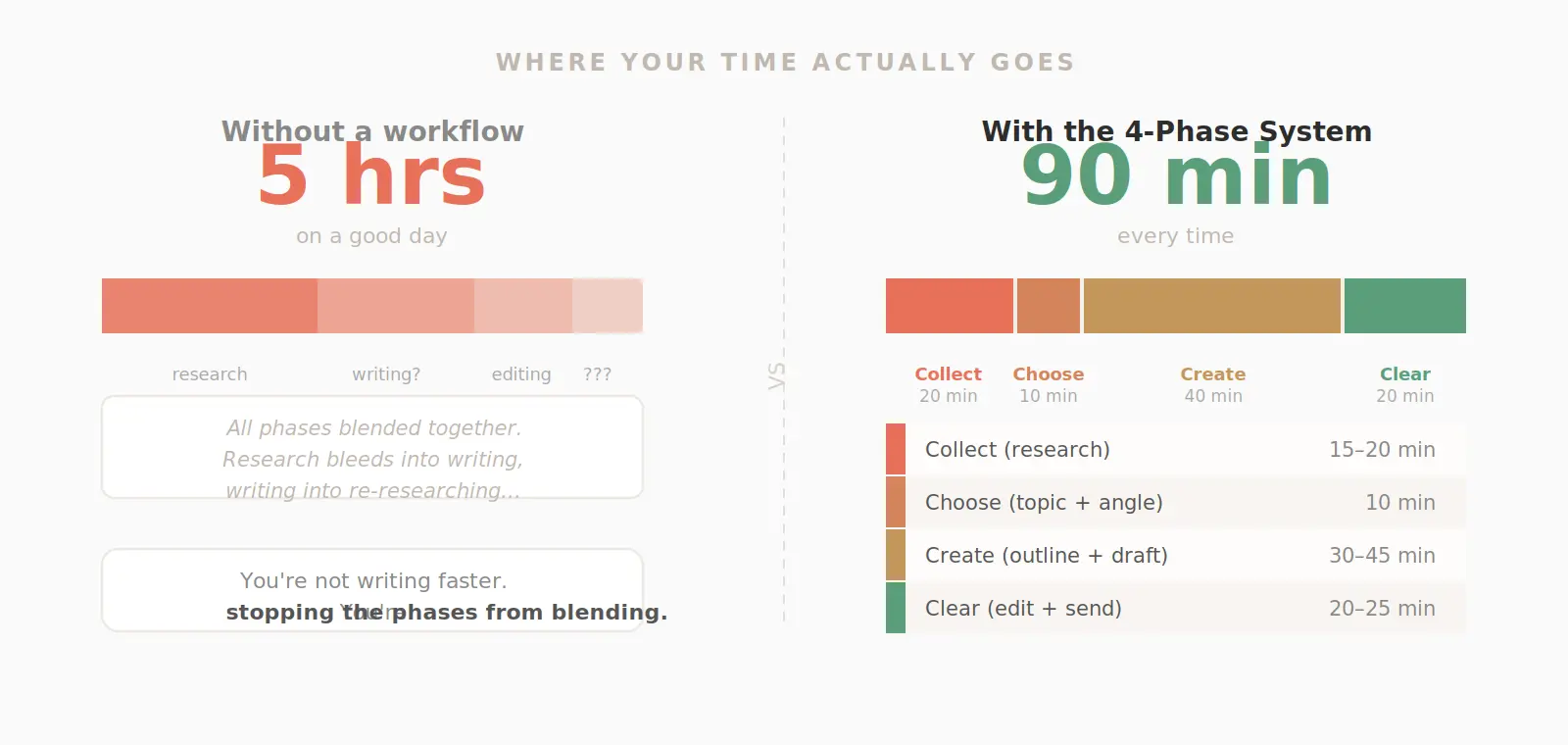
The topic decision sits outside the main writing session entirely, which is intentional. When you decide on the topic at the start of a writing session, you burn 20 to 40 minutes on a task that could have been done days earlier with almost no effort.
The first time you run this system, expect it to take longer: about 2.5 to 3 hours is normal for the first workflow-structured issue. The unfamiliar structure slows things down. By the third or fourth issue, the phases start to feel automatic, and the time budget becomes accurate.
Newsletter workflow tools that actually help
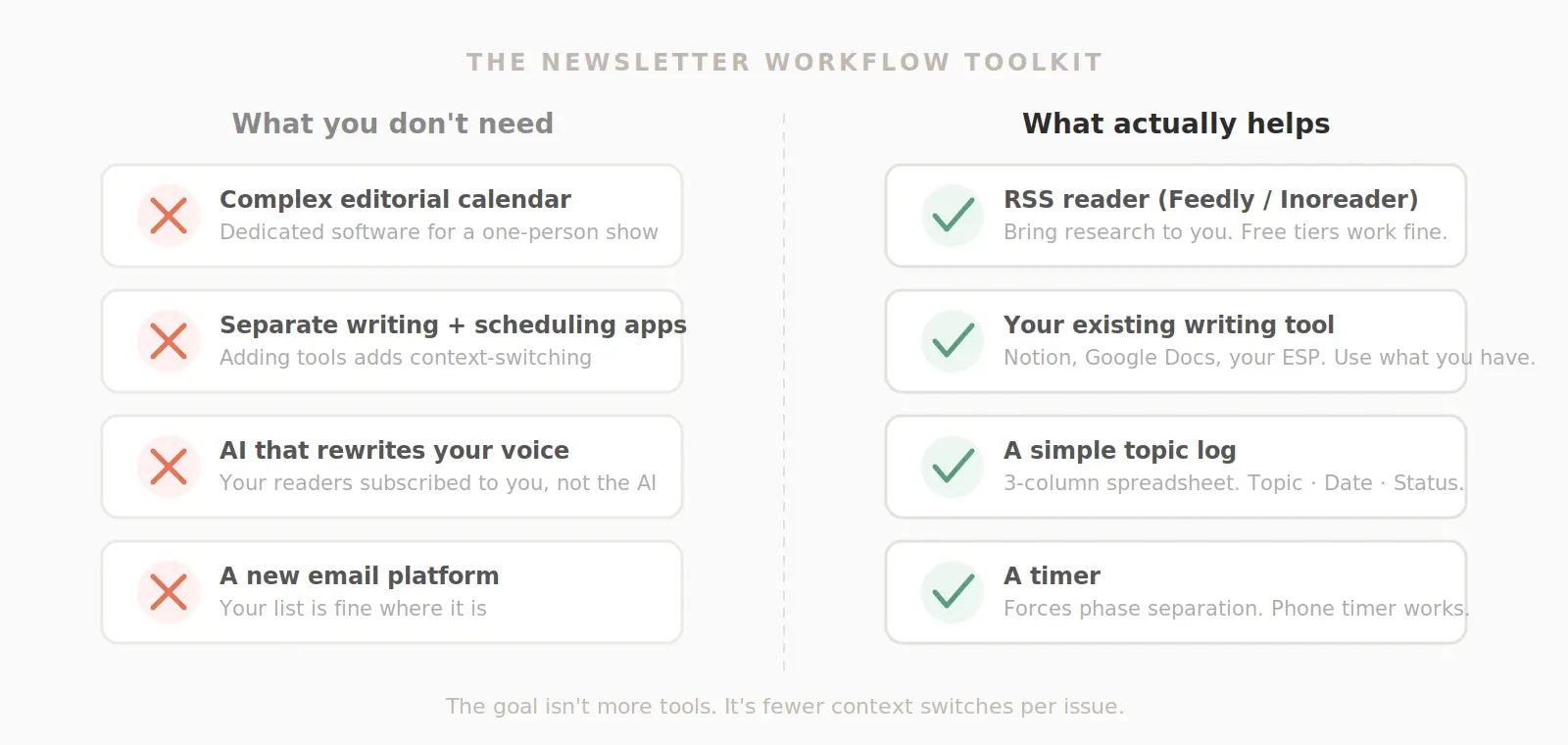
The best newsletter workflow tools are the ones you already use. Your goal should be to reduce the number of context switches you make per issue, instead of adding more tools.
Every tool you add to your process is a potential interruption: a new login, a new interface, a new habit to build. Unless a tool genuinely removes a step that was costing you time, it adds overhead.
Tools for research
An RSS reader is the highest-value research tool for most newsletter creators. Feedly and Inoreader both have free tiers that let you follow 20 to 30 sources and scan new content in a single view. Instead of visiting six websites to check what's new in your niche, you open one feed and scan once.
Search alerts (Google Alerts is free) are a useful supplement: set an alert for two or three keywords relevant to your topic area and let relevant content come to you. It’s enough to check weekly, unless you write daily newsletters.
If you want the research phase handled more automatically, like having relevant content surface by niche, in one place, without the manual feed-building, Letterable does exactly that. Letterable aggregates research sources across RSS, social media, and other publications based on your niche, so the Collect phase is ready before you sit down.
Tools for writing
Any tool that lets you write in the same place you export from is a genuine workflow improvement. Every copy-paste from a draft document to an email platform is a formatting risk. Headers change size, bold disappears, and spacing breaks. Your current, practical options are to write inside your email platform's native editor or to use a tool that exports cleanly to your platform without the copy-paste step.
If you prefer writing in Notion or Google Docs, that's a fine choice. Build the export step into your workflow explicitly, and plan the 10 to 15 minutes it takes to clean up formatting after you paste. That way, you’ll stop treating it as an unexpected cost.
What to avoid
Too many tools with separate logins is the most common workflow mistake in the tools category. Every new tool is a context switch. A simple Notion table for topics, one RSS reader, and your existing email platform cover everything most newsletter creators actually need.
Complex editorial calendars are another common over-investment. A spreadsheet with three columns (topic, send date, status) does the same job as most dedicated editorial calendar tools for solo creators. Build a sophisticated system when your newsletter has a team.
Want to cut the research phase down to under 20 minutes?
Letterable handles the research and first draft for you, then exports directly to Mailchimp, Beehiiv, Kit, or your existing email platform. You keep your current setup. Your list stays with your email provider. You just spend less time on everything before the send button.
Common newsletter workflow mistakes (and how to fix them)
The most common newsletter workflow mistake is combining research, writing, and editing into a single unstructured session. Separating those three into distinct phases is the single change that saves the most time. But there are four other mistakes that keep creators stuck even after they start building a workflow.
Mistake 1: Researching and writing at the same time
This one mistake accounts for more lost newsletter time than any other. When you research and write simultaneously, you're not doing either one well. You're switching between them constantly, paying a cognitive restart cost every time you switch, and producing writing that's shaped by whatever you happened to find instead of by what you actually want to say.
The fix: research first, close all tabs, then write. Not mostly close the tabs. Close them.
Mistake 2: No fixed publishing schedule
A newsletter without a set send day is a newsletter that will always find a reason to go out later than planned. The deadline creates the workflow. Without a hard deadline, the process expands to fill whatever time is available.
Pick your send day. Work backward from it: edit the day before, write two days before, research three days before, and decide the topic four or five days before. Build the workflow around a deadline, not around when inspiration happens to arrive.
Mistake 3: Rewriting instead of editing
If you're rewriting whole sections during the editing pass, the outline wasn't clear enough. Editing operates at the line level. Rewriting operates at the draft level. Doing both in the same pass means the drafting phase never truly ended.
The fix: commit to one editing pass, line-level only. If a section needs to be rebuilt, flag it and move on. Address it in the next issue's outline before you write it, not in this issue's editing pass.
Mistake 4: Changing topics mid-draft
You're 400 words in when a much better idea surfaces. You pivot. The original draft becomes a fragment, the new idea never gets the research it deserves, and an hour later, you have two half-finished things instead of one complete one.
Save the new idea in your topic bank. It will get a much better newsletter with a full workflow behind it next week than a rushed pivot this week. Commit to the outline you started with.
Mistake 5: No topic bank
Every time you sit down without a topic bank, you spend the first 20 to 40 minutes generating ideas from scratch. That's not research. It's ideation, and it should happen continuously throughout the week, not in a desperate sprint at the start of a writing session.
Keep a running list of future topics somewhere permanent. Add to it whenever something interesting crosses your path. When topic-decision day comes, you're choosing from a list instead of staring at a blank page.
How to adapt your workflow as your newsletter grows
The same 4-Phase Newsletter System scales from 500 subscribers to 50,000. What changes is how long each phase takes and how much of it you can systematize or delegate, not the underlying structure.
At the early stages, you run every phase yourself in a single session block. At 5,000 to 10,000 subscribers, the research phase is often the first one worth delegating or automating. It's the most time-intensive, the most repetitive, and the least dependent on your voice. The writing and editing phases stay yours regardless of scale.
At larger subscriber counts, topic strategy becomes more deliberate. You’re picking whatever’s interesting this week, yes, but you’re also building series, planning around audience segments, and thinking about how each issue connects to the ones before and after it. The 4-Phase System still runs underneath all of that; it just serves a more sophisticated content calendar.
The cluster posts in Letterable's Newsletter Workflow series go deeper on specific phases: building a content calendar that actually gets used, batching a month of newsletters in a single session, and cutting the research phase to under 15 minutes consistently.
Your next step
The workflow above runs on tools you already have. A Notion doc, your existing email platform, and a consistent schedule. That's enough to cut from 5 hours to under 2.
"If you want to cut it further, specifically the research phase where most time disappears, Letterable handles that part for you. It pulls relevant content in your niche from across the web, surfaces what's worth writing about, and builds a first draft from what you select. It exports directly to Mailchimp, Beehiiv, Kit, or wherever you already send. Your list stays with your email provider. Your automations keep running. Nothing moves except the time you spend before the send button.
Try it free. No migration required.
FAQ
Get early access to Letterable
Join the waitlist for product updates and early access. No spam, no credit card.